
Lab Room and Equipment Setup Guide
Laboratory layout for conducting a standard study at the Human Behaviour Research Lab
This post details the standard recommendations for setting up a laboratory room with Bitbrain Human Behaviour Research Labs solutions to ensure a strictly controlled context.
Although the final design depends on the use case, we describe the fundamental requirements applicable to most studies and adaptable to different needs.
Room type
To ensure data quality, the environment must be strictly controlled to prevent participant distractions. Important factors:
- Visual stimuli: The room should be a single neutral colour (white is recommended) and without windows. Noise: The room must be free from external noise.
- Temperature: A neutral temperature is required to keep the participant comfortable, ensuring it does not impact their well-being or physiological responses.
- Lighting: Lighting should not be too intense or too dim, aiming for the most balanced setting possible.
- Odor and air quality: The room must be free of strong odors; ventilating between participants is recommended.
Room Organization
Below you can see a standard layout of the previously recommended elements, presented in image format.
For screen-based studies: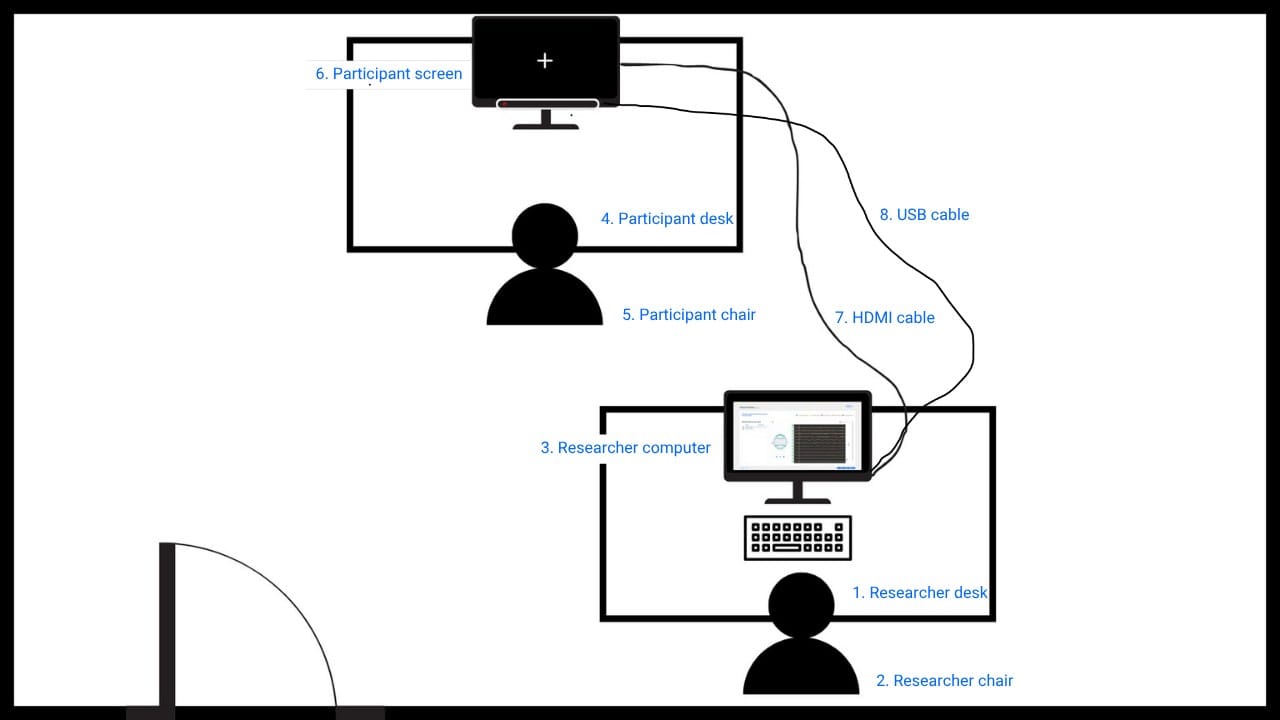
For simulated context studies: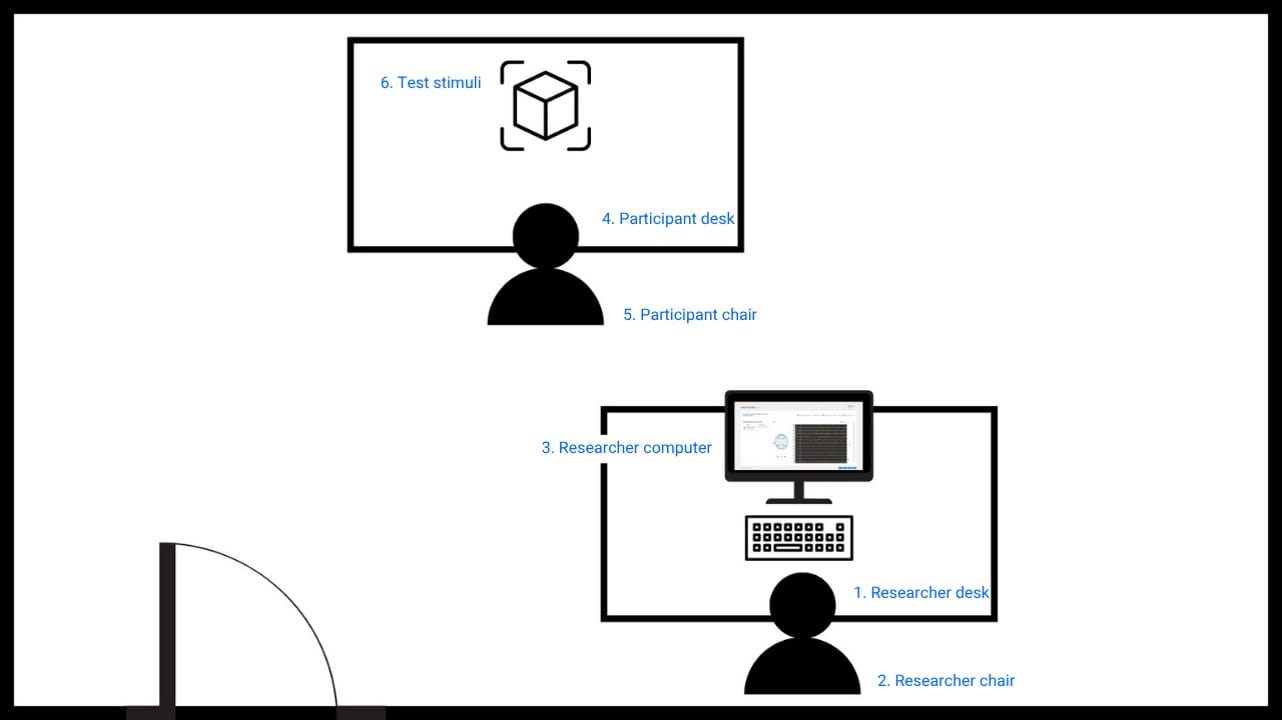
The subject calibration must be performed using the same room organization as in the screen-based studies.
Recommended equipment
For screen-based studies:
A screen-based study refers to any study in which the stimuli or task is presented on a screen.
Researcher equipment:
- Desk: The desk where the researcher sits with their computer to control and guide the study. It must be placed behind the participant so they can observe them during the study.
- Chair: Any chair that allows the researcher to sit comfortably. It is recommended that the chair does not produce noise that could distract the participant.
- Computer: The computer where the study definition is downloaded, it will be used to connect equipment and record data. We recommend keeping the device plugged in to ensure the battery remains charged.
Technical requirements for each softwares can be found in the following resources: SennsLab Installation requirements , SennsMetrics Installation requirements and SennsLite Installation requirements
Participant equipment:
- Desk: The desk where the screen displaying the stimuli is placed. It should be positioned in front of the researcher’s desk, maintaining the same orientation so the participant cannot see the researcher, ensuring their attention stays on the screen.
- Chair: Any chair that allows the participant to sit comfortably, needs to be adjusted to the correct height relative to the computer, and should not have wheels to prevent movements that could introduce noise.
- Screen: The screen connected to the researcher’s computer used to display the stimuli to the participant. We recommend a display that allows participants to easily control the visual field, with HDMI connectivity as a required feature.
Set-up accesories:
- HDMI cable: Cable to connect both (Participant & Researcher) screens to each other. Cable length, approximately 2–5 meters, depending on room size and the distance to the participant screen.
- USB cable: Necessary only when using a stationary eye-tracker, it connects the eye-tracker on the participant's screen to the researcher's computer. Cable length, approximately 2–5 meters, depending on room size and the distance to the participant screen. If you have doubts about how to integrate the eye-tracker, you can find the process in the following post: Overview of the integration process for the screen-based eye tracker in Sennslab.
For simulated context studies:
For studies in a simulated laboratory environment, steps 1–6 should be replicated during the calibration phase. During the testing phase, without a participant screen, the researcher should adapt the setup according to the specific experience being measured (e.g., testing a single element or action). See some examples here.