Versatile Bio Sensor Guide: Photodiode
Understanding the photodiode, or light sensor, on the Versatile Bio
What it measures
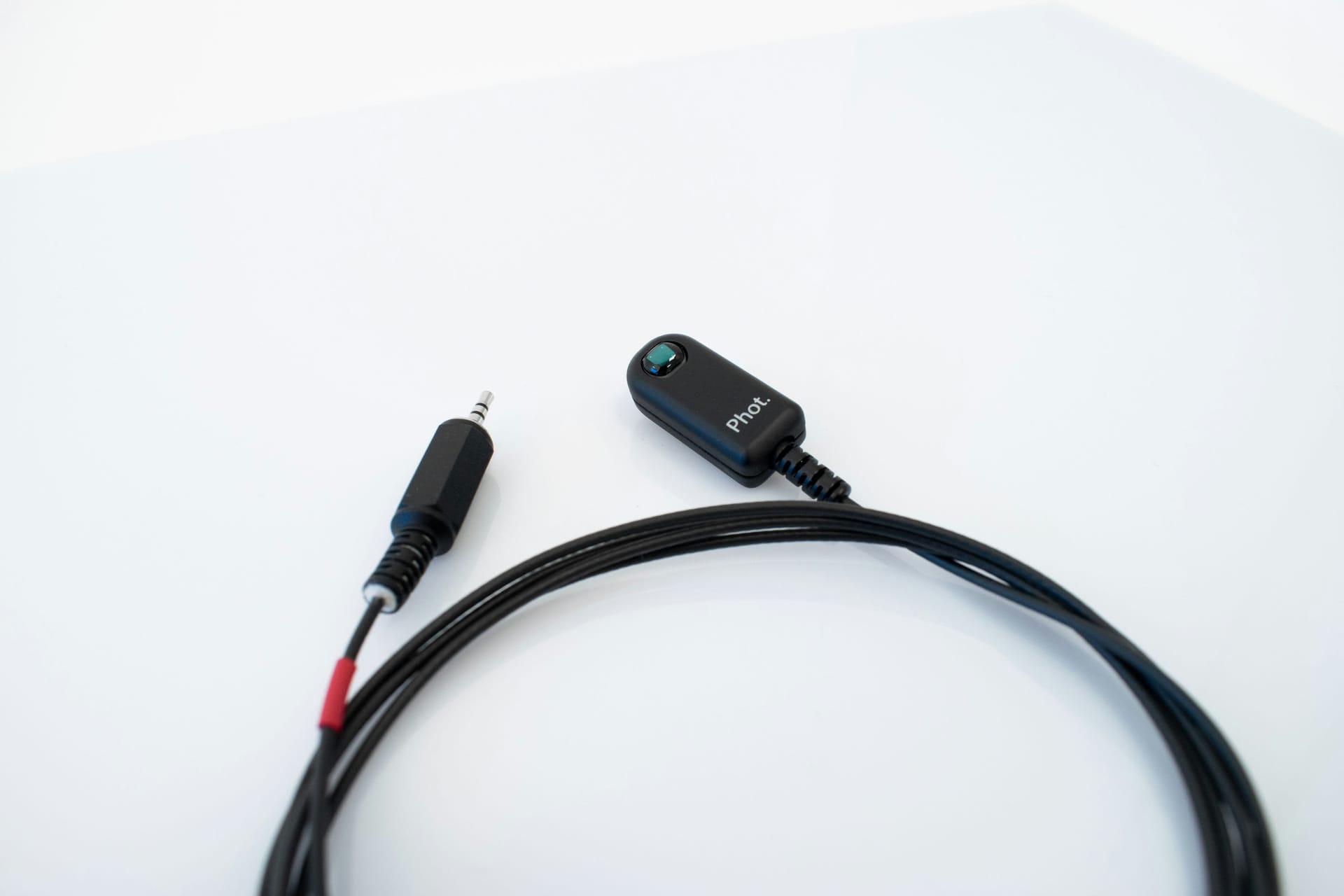
A photodiode measures light and translates it to a voltage signal that is recorded by the Versatile Bio device.
Research Applications
The most common use of a photodiode is as a method of extremely accurate synchronization with visual stimuli, especially when presented on a computer screen.
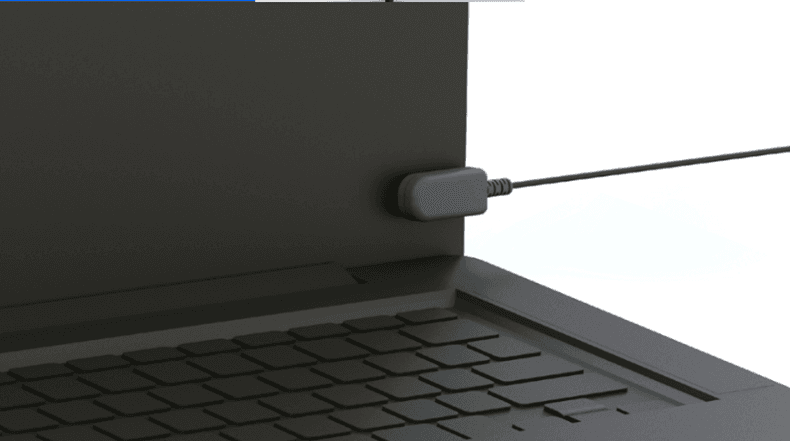
For example, a photodiode can be connected to the corner of a computer monitor. Alternating visual stimuli events can use a small box at that part of the screen, triggering the photodiode. This would create a marker in the Versatile Bio data corresponding to the change in the stimulus and allow the time synchronization of all other data recorded by the platform. Different intensity of light can be used on the box to denote different trials or parts of a test.
A photodiode can also be used to measure ambient light. This is useful in sleep studies, for example, where it may be useful to know if the lights were on or when sunlight entered the room.
How to use
The photodiode sensor is placed wherever the light must be measured (i.e. directly on a computer screen).
How to clean
To clean and disinfect the sensor, follow these steps:
- Disconnect the sensor from the Versatile Bio.
- Use Clinell Universal Wipes (For more information, please refer to the following link: Cleaning and Storage Biosignal devices).
- Let it dry before using.
- Autoclave is not recommended, as steam sterilization can damage electronic components.
- Do not immerse the device or the sensor in any liquid.
Connector on Versatile Bio
Note: This photodiode sensor is compatible only with the Versatile Bio device. For Bitbrain EEG devices (Versatile EEG, Diadem, and Air), please use the corresponding EEG photodiode sensor. Learn more here.
Visualization filters
The photodiode may pick up the refresh flickering of a computer monitor or florescent lights. To avoid this in the sensor visualization, consider setting a low-pass filter up to 30-40 Hz.
To access the data visualization filters, right-click on the signal display in SennsLite or SennsLab.
Under "Notch-Filter" we recommend setting this to the preset matching your country's AC frequency (presets exist for USA/Japan at 60 Hz, and Europe at 50 Hz).
Under "Other Filter" click "enabled" Set filter type to "Low-pass" Set High (Hz) to 30-40 Hz Type is "Butterworth" Order set to 2
Output data
The output signal is reported in microvolts (µV) and is proportional to the light intensity detected by the photodiode sensor. A higher light level (e.g., white or bright stimuli) produces higher microvolt values, while lower light levels (e.g., dark or black stimuli) result in lower microvolt values.
Wavelength and Temperature Sensitivity
Operational temperature | -20ºC - +85ºC |
Switch time | 4µs - 6µs |
Sense spectran range | 400-700nm (peack 500 nm) |
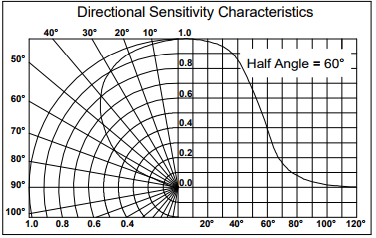
Acceptance angle | ±60deg |
Directional Sensitivity
The photodiode sensitivity depends on direction, and it will not see a signal as well that is too peripheral. The following graph details sensitivity at increasing directional angle to the sensor: